-
Shop
- Advanced Technologies
- AI Skills
- Bathroom
- Best-Sellers
- Car Accessories
- Confidence
- Dating & Social Skills
- Digital Resources
- AI & Technology
- Beauty
- Budgeting & Saving
- Car Buying & Ownership
- Cozy Feast Collection
- Electronics & Technology
- Entrepreneurship & Business Growth
- Financial Education
- Financial Independence
- Financial Mindset & Psychology
- Goal Setting
- Home Styling & Organization
- Kitchen & Recipes
- Leadership
- Mindfulness
- Mindset
- Online Business
- Parenting & Child Development
- Personal Style & Fashion
- Pet Lifestyle & Wellness
- Positive Thinking
- Sleep Improvement
- Smart Life with AI
- Stress Management & Relaxation
- Travel Planning
- Wellness
- Yoga & Fitness
- Yoga & Mind-Body Practices
- Education & Learning
- Family & Parenting
- Fashion
- Accessories
- Alexander McQueen
- Bags
- Bags & Wallets
- Balenciaga
- Belts
- Blazers
- Bottega Veneta
- Bottoms
- Brunello Cucinelli
- Burberry
- Chanel
- Chloé
- Dior
- Dolce & Gabbana
- Dresses
- Etro
- Fendi
- Gucci
- Hats & Hair Accessories
- Hoodies & Sweatshirts
- Jacquemus
- Jewelry
- Jil Sander
- Kiton
- Luggage
- Miu Miu
- Off-White
- Outerwear
- Prada
- Rick Owens
- Saint Laurent
- Shoes
- Socks & Tights
- Sweaters & Cardigans
- The Row
- Tom Ford
- Tops & Shirts
- Valentino
- Valentino Garavani
- Versace
- Vivienne Westwood
- Watches
- Fashion Accessories
- Furniture
- Gadgets
- Health & Beauty
- Health & Wellness
- Home & Garden
- Home Decor
- Home Electronics
- Home Supplies
- Kids & Babies
- Kitchen
- Kitchen Best-Sellers
- Lighting
- Patio, Lawn & Garden
- Personal Growth
- Pet Care
- Pet Supplies
- Pets
- Sport & Outdoors
- Super Deals
- Travel
- Travel & Adventure
- Wealth
- Popular
- Best deals
Safe Internet Habits: 7 Simple Ways to Stay Secure

What are safe internet habits?
Safe internet habits are simple, repeatable behaviors that reduce the chances of fraud, identity theft, malware, and privacy leaks while helping you stay in control of your time online. They’re less about “never going online” and more about using the internet with intention, guardrails, and smart defaults.
Safe internet habits that actually protect you
Use strong, unique passwords (and a password manager)
Create a different password for every account, prioritizing email, banking, and shopping logins. A reputable password manager can generate long passwords and store them securely so you don’t reuse the same one everywhere.
Turn on multi-factor authentication (MFA)
MFA adds a second check (like an authenticator app code) so a stolen password alone can’t unlock your account. Enable it anywhere it’s offered, especially for your email and financial accounts.
Keep devices and apps updated
Updates patch security holes that attackers actively exploit. Turn on automatic updates for your operating system, browsers, and key apps, and remove apps you no longer use.
Verify links, senders, and sites before you click
Phishing often looks urgent: a “payment failed” email, a shipping notice, or a fake login page. Hover over links, type important site addresses manually, and double-check the domain before entering passwords or payment info.
Limit what you share (and tighten privacy settings)
Avoid posting personal details that can be used for account recovery or scams (birthdate, address, travel dates). Review social and browser privacy settings, and restrict app permissions like location and contacts.
Use secure connections
Avoid logging into sensitive accounts on public Wi‑Fi unless you use a trusted VPN. At home, secure your router with a strong admin password and modern encryption (WPA2/WPA3).
Build intentional browsing routines
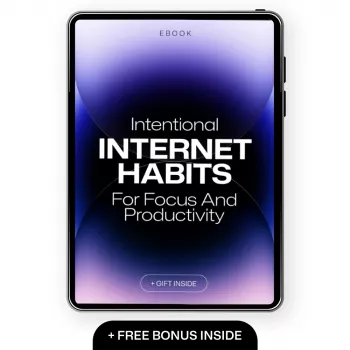
Safety also improves when you’re not clicking impulsively. For practical ways to reduce distractions and make online time more deliberate, visit this guide to intentional internet habits.
FAQ
How can I spot a phishing scam quickly?
Look for urgent language, mismatched sender addresses, and links that don’t match the official domain. When in doubt, go directly to the company’s site by typing the address instead of clicking the message link.
Recommended for you

Best Litter Box to Reduce Cat Smell: What to Choose
Jul 25, 2026
PVC vs Hypalon: 4 Easy Checks for Inflatables
Jul 25, 2026













Leave a comment