-
Shop
- Advanced Technologies
- AI Skills
- Bathroom
- Best-Sellers
- Car Accessories
- Confidence
- Dating & Social Skills
- Digital Resources
- AI & Technology
- Beauty
- Budgeting & Saving
- Car Buying & Ownership
- Cozy Feast Collection
- Electronics & Technology
- Entrepreneurship & Business Growth
- Financial Education
- Financial Independence
- Financial Mindset & Psychology
- Goal Setting
- Home Styling & Organization
- Kitchen & Recipes
- Leadership
- Mindfulness
- Mindset
- Online Business
- Parenting & Child Development
- Personal Style & Fashion
- Pet Lifestyle & Wellness
- Positive Thinking
- Sleep Improvement
- Smart Life with AI
- Stress Management & Relaxation
- Travel Planning
- Wellness
- Yoga & Fitness
- Yoga & Mind-Body Practices
- Education & Learning
- Family & Parenting
- Fashion
- Accessories
- Alexander McQueen
- Bags
- Bags & Wallets
- Balenciaga
- Belts
- Blazers
- Bottega Veneta
- Bottoms
- Brunello Cucinelli
- Burberry
- Chanel
- Chloé
- Dior
- Dolce & Gabbana
- Dresses
- Etro
- Fendi
- Gucci
- Hats & Hair Accessories
- Hoodies & Sweatshirts
- Jacquemus
- Jewelry
- Jil Sander
- Kiton
- Luggage
- Miu Miu
- Off-White
- Outerwear
- Prada
- Rick Owens
- Saint Laurent
- Shoes
- Socks & Tights
- Sweaters & Cardigans
- The Row
- Tom Ford
- Tops & Shirts
- Valentino
- Valentino Garavani
- Versace
- Vivienne Westwood
- Watches
- Fashion Accessories
- Furniture
- Gadgets
- Health & Beauty
- Health & Wellness
- Home & Garden
- Home Decor
- Home Electronics
- Home Supplies
- Kids & Babies
- Kitchen
- Kitchen Best-Sellers
- Lighting
- Patio, Lawn & Garden
- Personal Growth
- Pet Care
- Pet Supplies
- Pets
- Sport & Outdoors
- Super Deals
- Travel
- Travel & Adventure
- Wealth
- Popular
- Best deals
Intentional Internet Habits: Focus More, Scroll Less
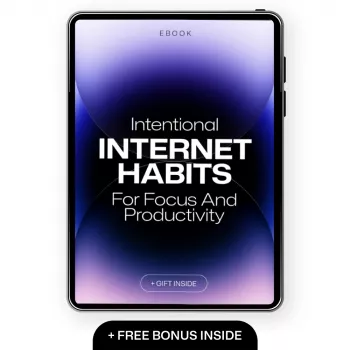
Intentional Internet Habits for Focus and Productivity
Purposeful browsing turns the internet from a distraction machine into a tool for learning, work, and real rest. The goal isn’t to quit being online—it’s to choose when, why, and how time is spent, using simple rules, environment tweaks, and a repeatable system that makes focus easier to sustain.
What “intentional” looks like online
Intentional internet use has two obvious features: a clear goal and a clear end. You open a tab because you’re completing a task—then you stop when the task is done. Default scrolling is the opposite: no goal, no finish line, and constant context switching that makes everything feel harder than it should.
A practical way to shift is a quick “why now?” check before opening an app or a new tab:
- Task: What am I trying to accomplish?
- Timeframe: How long will I give it?
- Outcome: What does “done” look like?
Over time, your success definition becomes simple: fewer context switches, faster task completion, and downtime that actually feels satisfying. One of the easiest mindset upgrades is a “one primary tab” rule—one active objective at a time, with everything else parked for later to reduce cognitive load.
A simple system: plan, browse, close
The internet is easiest to manage when each session has a beginning, middle, and end.
Plan
Write a 1–2 line intention before you start. Examples: “Find 3 credible sources for X,” “Price-check two options,” or “Reply to messages for 10 minutes.” The smaller and more measurable, the better.
Browse
Use a timer or time box, especially for open-ended tasks like research. Keep a capture note (digital or paper) for anything interesting but off-task—so you don’t lose it, but you also don’t derail.
Close
Stop when your objective is met. Save links into one place, summarize what mattered in 2–3 bullets, and exit the session (close the tab, the app, or the laptop). Add a tiny reset ritual—stand up, take three slow breaths, or deliberately choose the next activity—so the close feels real.
Design the environment so focus is the default
Willpower is fragile; environments are reliable. Small changes to your devices can remove dozens of micro-temptations a day.
- Home screen hygiene: Remove high-dopamine apps from the first screen; keep only tools needed for daily work.
- Notification rules: Disable non-essential push notifications; batch-check messages at set times.
- Browser setup: Use bookmarks for frequent purposeful tasks; separate profiles for work vs. personal to reduce cross-contamination.
- Friction for distraction: Log out of social apps, use website blockers during focus blocks, and turn off autoplay where possible.
Common distraction triggers and intentional replacements
| Trigger | What happens | Purposeful replacement | Friction to add |
|---|---|---|---|
| Boredom between tasks | Opens social/news tabs “for a minute” | 2-minute reset + write next action | Block feeds during work hours |
| Unclear next step | Research spiral and tab hoarding | Define the question + stop rule (e.g., 3 sources) | Limit open tabs; use a reading list |
| Notifications | Attention pulled into reactive mode | Scheduled check-ins | Disable badges and push alerts |
| Evening fatigue | Endless video autoplay | Choose one show/video intentionally + set end time | Turn off autoplay; use a sleep reminder |
Purposeful browsing for learning without overload
Learning online works best when you stay question-first. Start with what you need to answer, not what happens to be interesting in the moment. For important decisions, prefer primary or well-cited sources and use summaries only to orient yourself.
Use a stop rule to prevent “just one more link” from stealing the day:
- Time limit: “I’ll research for 20 minutes.”
- Source limit: “I’ll review 3 high-quality sources.”
- Action threshold: “When I have enough to act, I stop.”
Breaking the loop: how habits change
To make change measurable, track one metric for two weeks: total time in distracting apps or the number of unplanned pickups per day. The point isn’t perfection; it’s awareness and a trend in the right direction. For background on why frequent task switching harms performance, see the American Psychological Association’s overview of multitasking and attention.
Safe internet habits that support focus and peace of mind
- Password manager + unique passwords: Fewer resets, less mental load, and fewer compromised accounts. Guidance aligns with NIST Digital Identity Guidelines.
- Multi-factor authentication (MFA): Add MFA to email, banking, and primary social accounts. CISA’s Secure Our World has practical steps.
- App permissions and extensions: Remove anything unused; fewer hooks and fewer risks.
- Link and download caution: Verify sources, avoid unknown attachments, and keep devices updated.
Daily routine ideas: workdays and weekends
A guided approach for building purposeful browsing habits
Recommended digital guide: Intentional Internet Habits for Focus and Productivity: Master Your Digital Life with Purposeful Browsing.
Helpful add-ons for building smarter systems around your work and online routines include AI for Small Business Toolkit – 5-in-1 Digital Download Bundle and Choosing the Right Payment Solution for Your Business: Stripe vs Square Which Is Better – Complete eBook Guide for Small Business Owners.
FAQ
What are safe internet habits?
Use unique passwords stored in a password manager, enable multi-factor authentication on critical accounts, and keep devices updated. Be selective with app permissions and browser extensions, and treat links/downloads cautiously to reduce security stress and distraction.
How to break an internet habit?
Identify the cue-routine-reward loop, then add friction (blockers, logging out, disabling autoplay) and replace the routine with a quick alternative that still provides relief. Time-box online sessions and track one simple metric (like unplanned pickups) for two weeks to make progress visible.
What are 10 uses of internet in daily life?
Communication, banking, learning, navigation, shopping, health services, entertainment, work collaboration, news, and community/support are common daily uses. The most effective approach is choosing the purpose and endpoint before opening an app or tab.
Recommended for you


Cheap Home Upgrades: 10 Small Changes That Wow
Jul 25, 2026













Leave a comment