-
Shop
- Advanced Technologies
- AI Skills
- Bathroom
- Best-Sellers
- Car Accessories
- Confidence
- Dating & Social Skills
- Digital Resources
- AI & Technology
- Beauty
- Budgeting & Saving
- Car Buying & Ownership
- Cozy Feast Collection
- Electronics & Technology
- Entrepreneurship & Business Growth
- Financial Education
- Financial Independence
- Financial Mindset & Psychology
- Goal Setting
- Home Styling & Organization
- Kitchen & Recipes
- Leadership
- Mindfulness
- Mindset
- Online Business
- Parenting & Child Development
- Personal Style & Fashion
- Pet Lifestyle & Wellness
- Positive Thinking
- Sleep Improvement
- Smart Life with AI
- Stress Management & Relaxation
- Travel Planning
- Wellness
- Yoga & Fitness
- Yoga & Mind-Body Practices
- Education & Learning
- Family & Parenting
- Fashion
- Accessories
- Alexander McQueen
- Bags
- Bags & Wallets
- Balenciaga
- Belts
- Blazers
- Bottega Veneta
- Bottoms
- Brunello Cucinelli
- Burberry
- Chanel
- Chloé
- Dior
- Dolce & Gabbana
- Dresses
- Etro
- Fendi
- Gucci
- Hats & Hair Accessories
- Hoodies & Sweatshirts
- Jacquemus
- Jewelry
- Jil Sander
- Kiton
- Luggage
- Miu Miu
- Off-White
- Outerwear
- Prada
- Rick Owens
- Saint Laurent
- Shoes
- Socks & Tights
- Sweaters & Cardigans
- The Row
- Tom Ford
- Tops & Shirts
- Valentino
- Valentino Garavani
- Versace
- Vivienne Westwood
- Watches
- Fashion Accessories
- Furniture
- Gadgets
- Health & Beauty
- Health & Wellness
- Home & Garden
- Home Decor
- Home Electronics
- Home Supplies
- Kids & Babies
- Kitchen
- Kitchen Best-Sellers
- Lighting
- Patio, Lawn & Garden
- Personal Growth
- Pet Care
- Pet Supplies
- Pets
- Sport & Outdoors
- Super Deals
- Travel
- Travel & Adventure
- Wealth
- Popular
- Best deals
Router Upstairs or Downstairs? Best Spot for Wi‑Fi
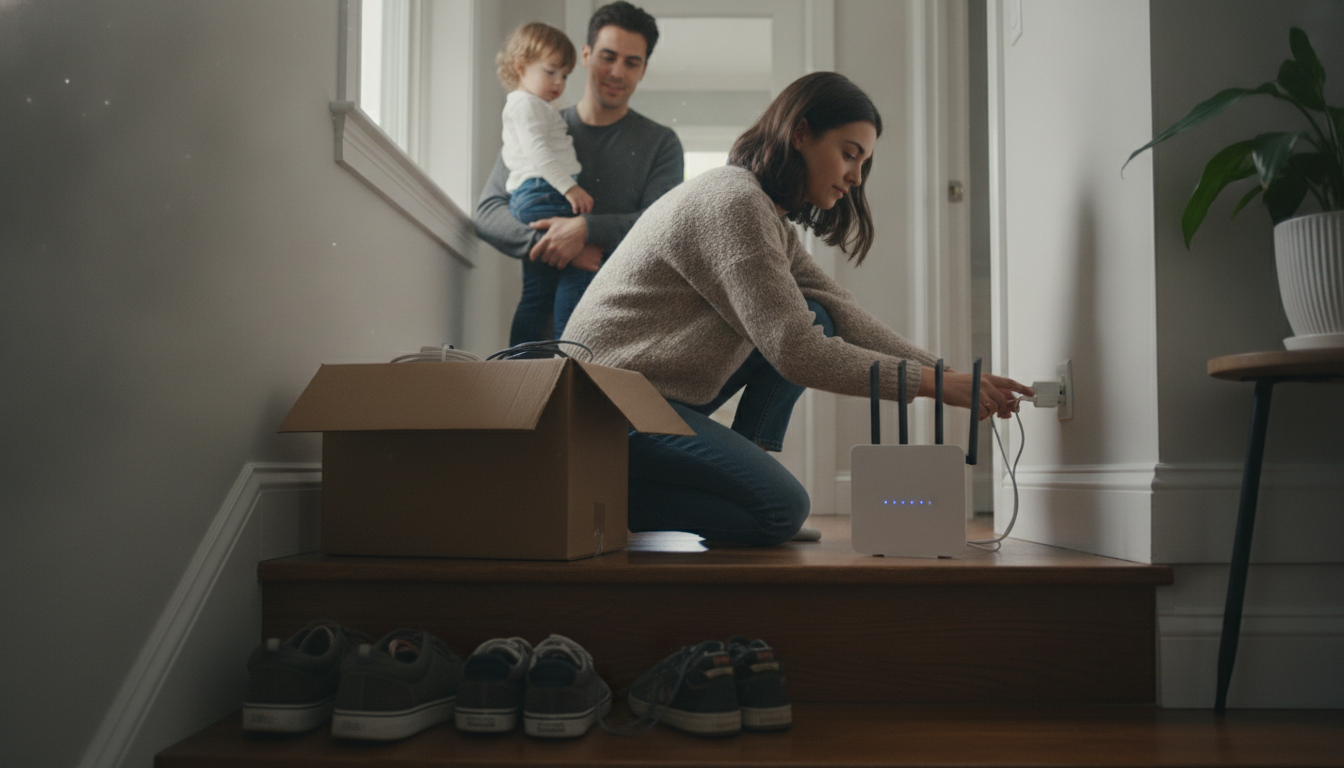
Is it better to put the router upstairs or downstairs?
Neither “upstairs” nor “downstairs” is automatically better—the best spot is the one closest to the center of where you actually use Wi‑Fi. In many two-story homes, placing the router on the lower level (downstairs) but in a central, open area often produces more even coverage because the signal can spread upward and outward through stairwells and open spaces. However, if most of your devices and streaming happen upstairs, an upstairs location closer to that activity can feel faster and more stable.
How Wi‑Fi signal moves between floors
Wi‑Fi weakens as it passes through materials, and floors tend to be tougher obstacles than interior walls. Dense subfloors, tile, radiant heat layers, and metal ductwork can all reduce signal strength. If your router is tucked in a downstairs corner, the upstairs rooms farthest away may experience dropouts or slow speeds. A more central placement—often near the stairway or in an open hallway—can reduce the number of “hard barriers” the signal must cross.
Practical rule: place it where the demand is
If your home office, gaming setup, or main TV is upstairs, prioritize a router location that gives those devices the cleanest path. If the heaviest use is downstairs, keep it downstairs. For mixed use across both floors, aim for a mid-home location that is elevated (on a shelf, not the floor), away from thick masonry, and not inside a cabinet.
When upstairs placement wins
An upstairs router can outperform downstairs placement when the upstairs has the most usage and the downstairs is primarily open-plan. Height can help line-of-sight coverage, but only if the router isn’t pushed against exterior walls or surrounded by large appliances.
Better than guessing: confirm with a quick placement checklist
Small moves—sometimes just 5–10 feet—can make a noticeable difference. For a fast way to evaluate the best location in your home, follow the placement tips and quick checklist here: https://bestsellis.com/guide-best-wi-fi-router-placement-quick-home-checklist/.
FAQ
Should I put my Wi‑Fi router near a window?
Usually no. A window-facing placement can “waste” signal outside your home and may increase exposure to interference. A central, interior location typically delivers stronger, more consistent coverage.















Leave a comment