-
Shop
- Advanced Technologies
- AI Skills
- Bathroom
- Best-Sellers
- Car Accessories
- Confidence
- Dating & Social Skills
- Digital Resources
- AI & Technology
- Beauty
- Budgeting & Saving
- Car Buying & Ownership
- Cozy Feast Collection
- Electronics & Technology
- Entrepreneurship & Business Growth
- Financial Education
- Financial Independence
- Financial Mindset & Psychology
- Goal Setting
- Home Styling & Organization
- Kitchen & Recipes
- Leadership
- Mindfulness
- Mindset
- Online Business
- Parenting & Child Development
- Personal Style & Fashion
- Pet Lifestyle & Wellness
- Positive Thinking
- Sleep Improvement
- Smart Life with AI
- Stress Management & Relaxation
- Travel Planning
- Wellness
- Yoga & Fitness
- Yoga & Mind-Body Practices
- Education & Learning
- Family & Parenting
- Fashion
- Accessories
- Alexander McQueen
- Bags
- Bags & Wallets
- Balenciaga
- Belts
- Blazers
- Bottega Veneta
- Bottoms
- Brunello Cucinelli
- Burberry
- Chanel
- Chloé
- Dior
- Dolce & Gabbana
- Dresses
- Etro
- Fendi
- Gucci
- Hats & Hair Accessories
- Hoodies & Sweatshirts
- Jacquemus
- Jewelry
- Jil Sander
- Kiton
- Luggage
- Miu Miu
- Off-White
- Outerwear
- Prada
- Rick Owens
- Saint Laurent
- Shoes
- Socks & Tights
- Sweaters & Cardigans
- The Row
- Tom Ford
- Tops & Shirts
- Valentino
- Valentino Garavani
- Versace
- Vivienne Westwood
- Watches
- Fashion Accessories
- Furniture
- Gadgets
- Health & Beauty
- Health & Wellness
- Home & Garden
- Home Decor
- Home Electronics
- Home Supplies
- Kids & Babies
- Kitchen
- Kitchen Best-Sellers
- Lighting
- Patio, Lawn & Garden
- Personal Growth
- Pet Care
- Pet Supplies
- Pets
- Sport & Outdoors
- Super Deals
- Travel
- Travel & Adventure
- Wealth
- Popular
- Best deals
Boost Wi‑Fi in a 2‑Story House: Placement & Mesh Tips
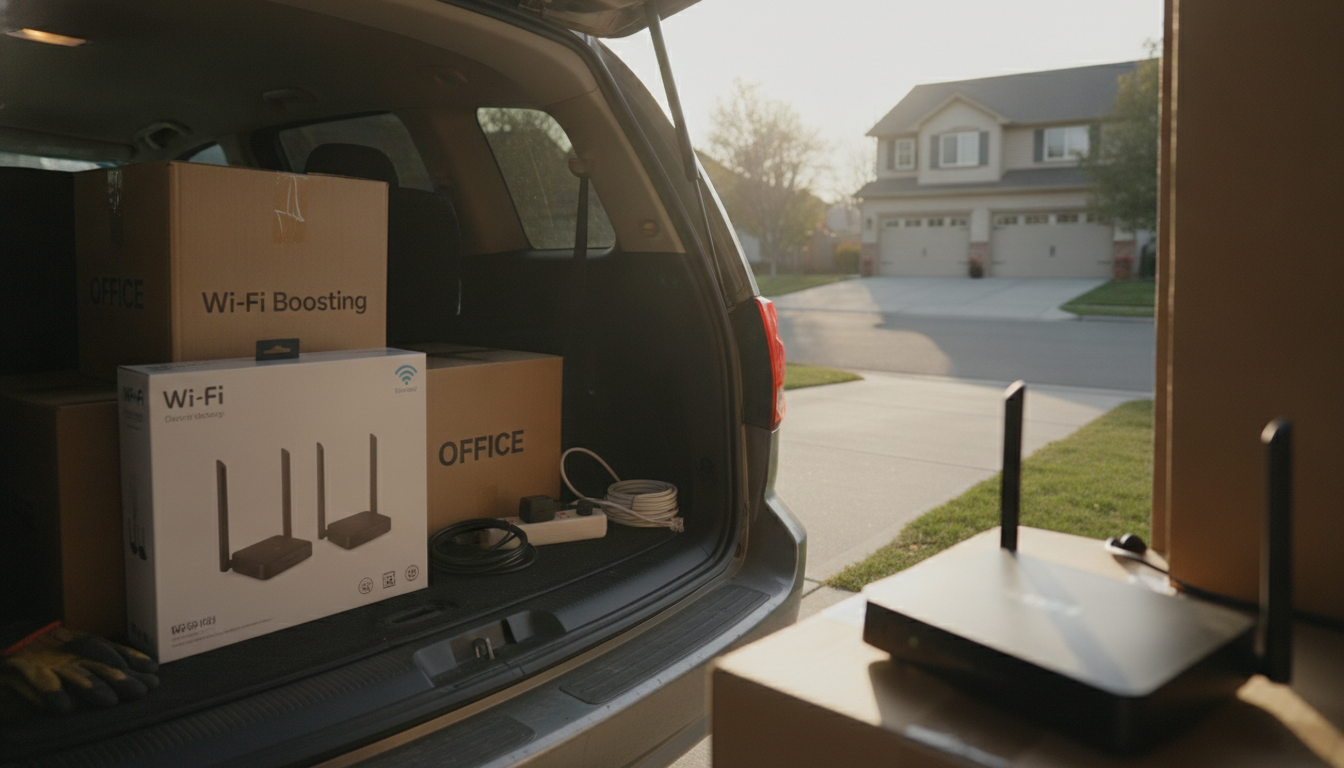
How to boost Wi-Fi in 2 story house?
Boosting Wi‑Fi in a two‑story house usually comes down to three things: smarter router placement, cleaner signal paths, and adding the right equipment when distance or materials (brick, plaster, concrete, metal ductwork) block coverage. Start with free fixes, then scale up only if you still have weak spots upstairs or at the far ends of the home.
1) Place the router where it can “see” both floors
Put the router as close to the center of the home as possible, on the first floor but elevated (on a shelf or table, not on the ground). If the router is tucked in a corner, closet, or behind a TV, the upstairs signal will suffer. Keep it away from large metal objects, aquariums, and thick masonry walls that absorb or reflect radio waves.
For a practical room-by-room checklist and placement tips, use this guide: best Wi‑Fi router placement quick home checklist.
2) Reduce interference and pick the best band
Use 5 GHz for speed when you’re relatively close to the router (often downstairs or in nearby upstairs rooms). Use 2.4 GHz for longer reach to distant rooms, though it’s more prone to congestion. If your router supports it, enable band steering so devices automatically choose the best option.
3) Reposition antennas and update settings
If your router has adjustable antennas, aim one vertically and one horizontally to improve coverage across floors. Also confirm the router firmware is updated and consider switching to a less crowded Wi‑Fi channel if neighbors’ networks are competing.
4) Add hardware when placement isn’t enough
If the upstairs still drops out, add a mesh Wi‑Fi system or a wired access point. Mesh nodes work best when the “middle” node has a strong connection to the main router (not placed in the dead zone). For maximum reliability, run Ethernet to an upstairs access point; it delivers full-speed backhaul without wireless loss. Avoid cheap extenders when possible, since many cut throughput and can add lag.
FAQ
Where should I place a Wi-Fi extender in a two-story house?
Place it about halfway between the router and the weak upstairs area, where the extender still receives a strong signal. If it’s placed in the dead zone, it will only rebroadcast a weak connection.














Leave a comment