-
Shop
- Advanced Technologies
- AI Skills
- Bathroom
- Best-Sellers
- Car Accessories
- Confidence
- Dating & Social Skills
- Digital Resources
- AI & Technology
- Beauty
- Budgeting & Saving
- Car Buying & Ownership
- Cozy Feast Collection
- Electronics & Technology
- Entrepreneurship & Business Growth
- Financial Education
- Financial Independence
- Financial Mindset & Psychology
- Goal Setting
- Home Styling & Organization
- Kitchen & Recipes
- Leadership
- Mindfulness
- Mindset
- Online Business
- Parenting & Child Development
- Personal Style & Fashion
- Pet Lifestyle & Wellness
- Positive Thinking
- Sleep Improvement
- Smart Life with AI
- Stress Management & Relaxation
- Travel Planning
- Wellness
- Yoga & Fitness
- Yoga & Mind-Body Practices
- Education & Learning
- Family & Parenting
- Fashion
- Accessories
- Alexander McQueen
- Bags
- Bags & Wallets
- Balenciaga
- Belts
- Blazers
- Bottega Veneta
- Bottoms
- Brunello Cucinelli
- Burberry
- Chanel
- Chloé
- Dior
- Dolce & Gabbana
- Dresses
- Etro
- Fendi
- Gucci
- Hats & Hair Accessories
- Hoodies & Sweatshirts
- Jacquemus
- Jewelry
- Jil Sander
- Kiton
- Luggage
- Miu Miu
- Off-White
- Outerwear
- Prada
- Rick Owens
- Saint Laurent
- Shoes
- Socks & Tights
- Sweaters & Cardigans
- The Row
- Tom Ford
- Tops & Shirts
- Valentino
- Valentino Garavani
- Versace
- Vivienne Westwood
- Watches
- Fashion Accessories
- Furniture
- Gadgets
- Health & Beauty
- Health & Wellness
- Home & Garden
- Home Decor
- Home Electronics
- Home Supplies
- Kids & Babies
- Kitchen
- Kitchen Best-Sellers
- Lighting
- Patio, Lawn & Garden
- Personal Growth
- Pet Care
- Pet Supplies
- Pets
- Sport & Outdoors
- Super Deals
- Travel
- Travel & Adventure
- Wealth
- Popular
- Best deals
What Can You Use ChatGPT For? Everyday Task Ideas

What tasks can ChatGPT be used for?
ChatGPT can help you plan, draft, organize, learn, and work through everyday decisions. We find it most useful when you give it a specific task, enough context, and a clear idea of what a useful answer looks like. Treat its response as a starting point you can review and improve, rather than a finished answer you must accept.
Planning and organizing
You can ask ChatGPT to turn a crowded to-do list into a manageable plan, break a large project into smaller steps, or create a checklist for a recurring routine. Tell it your deadline, available time, and priorities. For example, you might ask for a 30-minute plan to prepare for a meeting or a weekly schedule that leaves room for unexpected tasks.
Writing and communication
ChatGPT can draft emails, outline presentations, suggest titles, and rewrite text for clarity or tone. You can also use it to turn rough notes into a first draft or shorten a long message. Before sending anything, make sure the facts are right and the wording sounds like you. Avoid sharing sensitive personal or business information unless you are comfortable with how the tool handles it.
Learning and problem-solving
Ask for a plain-English explanation of an unfamiliar concept, practice questions, or a step-by-step walkthrough of a problem. If an explanation does not click, ask for a different example or a simpler version. ChatGPT can also help you compare options by organizing pros, cons, costs, and open questions. For important financial, legal, medical, or safety decisions, verify the information with a qualified source before acting.
Creative and practical projects
You can use ChatGPT to brainstorm gift ideas, meal plans, event themes, interview questions, or ways to improve a process. It can generate a few approaches quickly, then help you refine the one that fits your budget, preferences, and constraints. Our team recommends asking for alternatives when the first response feels too generic.
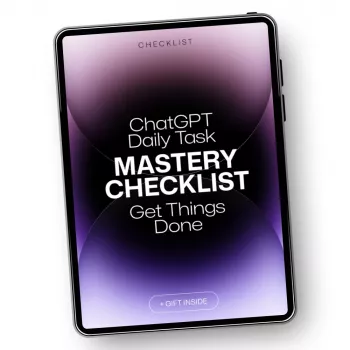
A good prompt does not need to be complicated: state the task, add relevant details, and specify the format you want. If you want to build a repeatable routine, use our daily task mastery with ChatGPT checklist to put these ideas into practice.
FAQ
How can you get more useful answers from ChatGPT?
Describe the task, provide relevant context, and say what format or length you want. Review the response, then ask a follow-up question to correct or refine anything that misses the mark.
Recommended for you

How to Use ChatGPT for Personal Tasks and Planning
Oct 20, 2026













Leave a comment