-
Shop
- Advanced Technologies
- AI Skills
- Bathroom
- Best-Sellers
- Car Accessories
- Confidence
- Dating & Social Skills
- Digital Resources
- AI & Technology
- Beauty
- Budgeting & Saving
- Car Buying & Ownership
- Cozy Feast Collection
- Electronics & Technology
- Entrepreneurship & Business Growth
- Financial Education
- Financial Independence
- Financial Mindset & Psychology
- Goal Setting
- Home Styling & Organization
- Kitchen & Recipes
- Leadership
- Mindfulness
- Mindset
- Online Business
- Parenting & Child Development
- Personal Style & Fashion
- Pet Lifestyle & Wellness
- Positive Thinking
- Sleep Improvement
- Smart Life with AI
- Stress Management & Relaxation
- Travel Planning
- Wellness
- Yoga & Fitness
- Yoga & Mind-Body Practices
- Education & Learning
- Family & Parenting
- Fashion
- Accessories
- Alexander McQueen
- Bags
- Bags & Wallets
- Balenciaga
- Belts
- Blazers
- Bottega Veneta
- Bottoms
- Brunello Cucinelli
- Burberry
- Chanel
- Chloé
- Dior
- Dolce & Gabbana
- Dresses
- Etro
- Fendi
- Gucci
- Hats & Hair Accessories
- Hoodies & Sweatshirts
- Jacquemus
- Jewelry
- Jil Sander
- Kiton
- Luggage
- Miu Miu
- Off-White
- Outerwear
- Prada
- Rick Owens
- Saint Laurent
- Shoes
- Socks & Tights
- Sweaters & Cardigans
- The Row
- Tom Ford
- Tops & Shirts
- Valentino
- Valentino Garavani
- Versace
- Vivienne Westwood
- Watches
- Fashion Accessories
- Furniture
- Gadgets
- Health & Beauty
- Health & Wellness
- Home & Garden
- Home Decor
- Home Electronics
- Home Supplies
- Kids & Babies
- Kitchen
- Kitchen Best-Sellers
- Lighting
- Patio, Lawn & Garden
- Personal Growth
- Pet Care
- Pet Supplies
- Pets
- Sport & Outdoors
- Super Deals
- Travel
- Travel & Adventure
- Wealth
- Popular
- Best deals
How to Use ChatGPT for Personal Tasks and Planning

How can ChatGPT be used for personal tasks?
ChatGPT can help you turn a busy day into a workable plan. You can use it to organize a to-do list, draft messages, compare options, brainstorm meals, or break a project into smaller steps. Our favorite way to start is with one specific task and a little context: tell it what you need, when you need it, and what matters most to you.
Plan your day without overfilling it
Paste in your tasks, appointments, and available hours, then ask ChatGPT to suggest a schedule with breaks and realistic time estimates. You can also ask it to identify what can wait. Treat the result as a draft: adjust it around your energy, travel time, and commitments before you rely on it.
Get past the blank page
For everyday writing, ChatGPT can draft a polite email, a thank-you note, a packing list, or questions to bring to an appointment. Tell it who the message is for and the tone you want. Then edit the wording so it sounds like you, and verify names, dates, and other details before sending anything.
Make decisions easier to sort through
If you are choosing between options, ask for a simple comparison based on your priorities and budget. For example, you might request a pros-and-cons table for two weekend plans or a grocery list built around meals you already chose. ChatGPT can help structure the decision, but you should confirm prices, availability, and policies with the relevant source.
Build a repeatable routine
Our team recommends saving prompts that work well for you. A weekly planning prompt might include your recurring commitments, three top priorities, and the amount of free time you want to protect. You can refine it each week instead of starting over. For a step-by-step approach, see our daily task mastery with ChatGPT checklist.
Keep sensitive information out of prompts when it is not needed. You can use general descriptions instead of account numbers, private medical details, or someone else’s personal information. For health, legal, or financial decisions, use ChatGPT to prepare questions and organize information—not as a substitute for a qualified professional.
FAQ
What makes a useful prompt for a daily to-do list?
Include your tasks, deadlines, available time, and top priorities, then ask for a realistic order of work. If the first plan feels too full, ask ChatGPT to shorten it and show what can move to another day.
Recommended for you
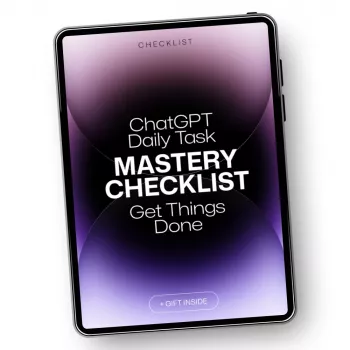


What Can You Use ChatGPT For? Everyday Task Ideas
Oct 20, 2026













Leave a comment