-
Shop
- Advanced Technologies
- AI Skills
- Bathroom
- Best-Sellers
- Car Accessories
- Confidence
- Dating & Social Skills
- Digital Resources
- AI & Technology
- Beauty
- Budgeting & Saving
- Car Buying & Ownership
- Cozy Feast Collection
- Electronics & Technology
- Entrepreneurship & Business Growth
- Financial Education
- Financial Independence
- Financial Mindset & Psychology
- Goal Setting
- Home Styling & Organization
- Kitchen & Recipes
- Leadership
- Mindfulness
- Mindset
- Online Business
- Parenting & Child Development
- Personal Style & Fashion
- Pet Lifestyle & Wellness
- Positive Thinking
- Sleep Improvement
- Smart Life with AI
- Stress Management & Relaxation
- Travel Planning
- Wellness
- Yoga & Fitness
- Yoga & Mind-Body Practices
- Education & Learning
- Family & Parenting
- Fashion
- Accessories
- Alexander McQueen
- Bags
- Bags & Wallets
- Balenciaga
- Belts
- Blazers
- Bottega Veneta
- Bottoms
- Brunello Cucinelli
- Burberry
- Chanel
- Chloé
- Dior
- Dolce & Gabbana
- Dresses
- Etro
- Fendi
- Gucci
- Hats & Hair Accessories
- Hoodies & Sweatshirts
- Jacquemus
- Jewelry
- Jil Sander
- Kiton
- Luggage
- Miu Miu
- Off-White
- Outerwear
- Prada
- Rick Owens
- Saint Laurent
- Shoes
- Socks & Tights
- Sweaters & Cardigans
- The Row
- Tom Ford
- Tops & Shirts
- Valentino
- Valentino Garavani
- Versace
- Vivienne Westwood
- Watches
- Fashion Accessories
- Furniture
- Gadgets
- Health & Beauty
- Health & Wellness
- Home & Garden
- Home Decor
- Home Electronics
- Home Supplies
- Kids & Babies
- Kitchen
- Kitchen Best-Sellers
- Lighting
- Patio, Lawn & Garden
- Personal Growth
- Pet Care
- Pet Supplies
- Pets
- Sport & Outdoors
- Super Deals
- Travel
- Travel & Adventure
- Wealth
- Popular
- Best deals
1080P Smart Home Projector: Movie Night Made Easy
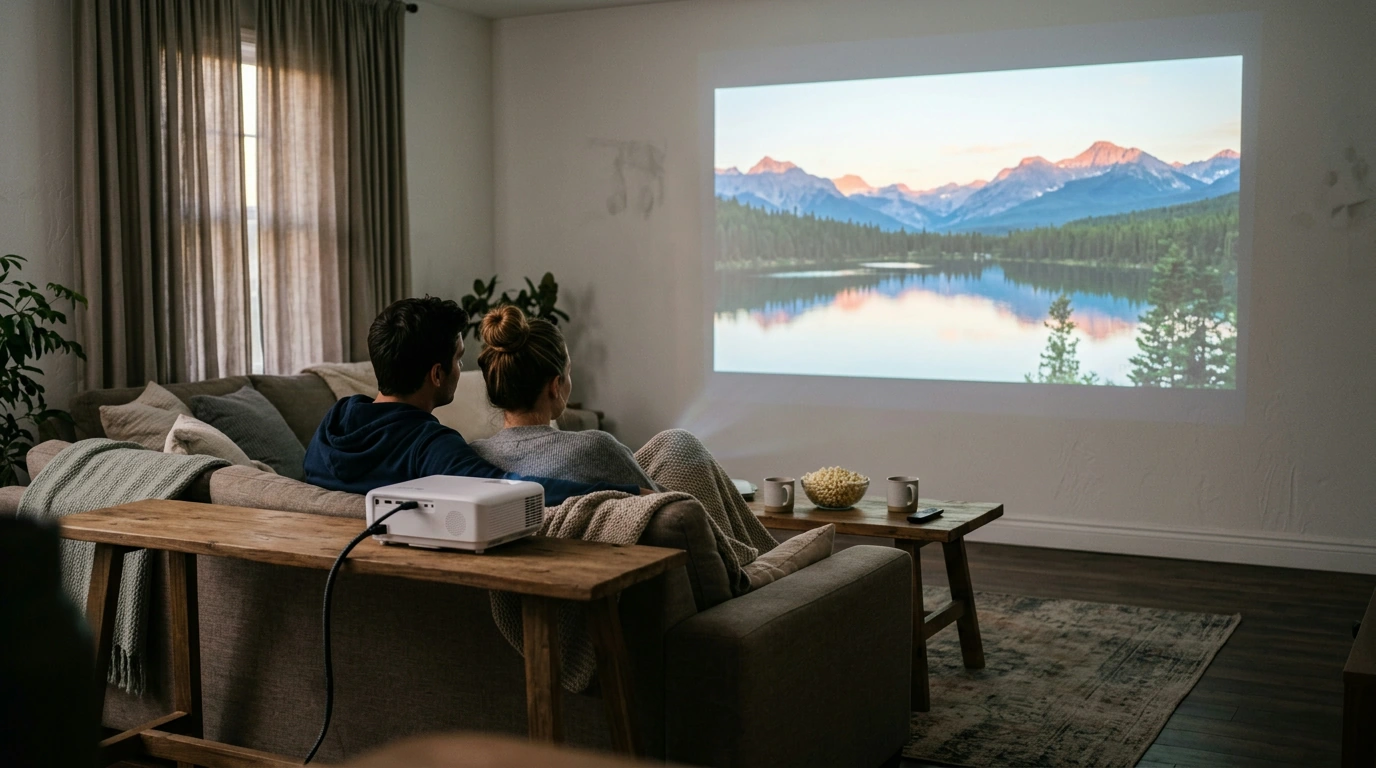
Movie night doesn’t have to mean gathering around a television. A smart projector offers another way to enjoy entertainment in a living room or bedroom, with a projected picture and streaming access in one device. Our 1080P Smart Home Projector brings together a Full HD format, HDR10 support, WiFi 6, Bluetooth, and Netflix built in.
Whether you’re planning a regular family movie night or looking for a different way to watch on weekends, the right setup starts with your space and viewing habits. Here’s how the projector’s features fit into those decisions.
A Smart Projector for Movie Night
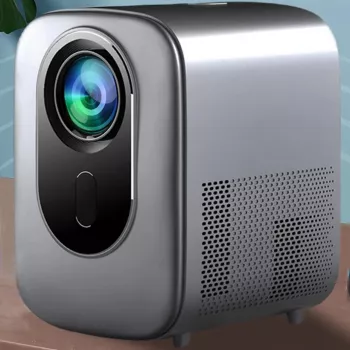
Our 1080P Smart Home Projector with HDR10, WiFi 6, Bluetooth, and Netflix Built-In is an option for bringing streaming and a projected picture into your home. You can plan a viewing area around a suitable wall or screen, then settle in for a movie or a favorite series.
Netflix built in gives you a convenient starting point: access the service directly from the projector rather than choosing a separate device solely for Netflix. A Netflix subscription may be required. For information about accounts and subscriptions, visit the Netflix Help Center.
Consider how often you’ll use the projector and where you’ll put it between viewing sessions. A room that’s comfortable for an occasional movie may need a little rearranging, while a dedicated viewing area can be organized around your usual seating.
Features at a Glance
Each feature serves a different purpose. Use this table to compare what the projector offers with what matters most to you, whether that’s streaming convenience, wireless connectivity, or support for a particular content format.
| Feature | What it offers |
|---|---|
| 1080P | A Full HD picture format for home viewing |
| HDR10 | Support for HDR10 content |
| WiFi 6 | A modern Wi-Fi connection standard |
| Bluetooth | Wireless connectivity for compatible devices |
| Netflix built-in | Access to Netflix directly from the projector |
The 1080P designation describes the picture format, while HDR10 refers to support for that content format. Your viewing experience will also depend on factors such as the source material and your room. WiFi 6 and Bluetooth address connections rather than the picture itself, and Netflix built in makes the service available directly on the projector.
Set Up a Comfortable Viewing Space
Start by choosing a wall or screen that gives you a clear, unobstructed viewing surface. Think about what will be in your line of sight when everyone is seated, and move distracting objects away from the viewing area.
Ambient light matters, too. Closing curtains or dimming room lights can make it easier to focus on the projected picture. If you plan to watch during the day, consider how much daylight enters the room and whether you can reduce it comfortably.
Before setting up, look at the available power access and where the projector can sit in relation to your viewing surface. Keep the arrangement convenient for your household, with cables positioned so they don’t create a tripping hazard. Make sure your chosen spot also has Wi-Fi coverage if you plan to stream.
Finally, arrange seating so you and your guests can see the picture without straining or blocking one another’s view. A few minutes spent planning the room can make movie night feel more relaxed.
Streaming and Wireless Connections
A home Wi-Fi network connects the projector to the internet for streaming. WiFi 6 is a wireless networking standard, but streaming performance depends on your network and internet connection, including the coverage available where you place the projector. You can learn more about Wi-Fi standards from the Wi-Fi Alliance.
Bluetooth may be useful when connecting a compatible device wirelessly. Because compatibility can vary, confirm that the device you want to use works with the projector before purchase. Consider your usual viewing routine: if you prefer a particular wireless accessory, knowing whether it will work is an important part of your decision.
Is This Projector Right for Your Home?
This projector may suit you if direct Netflix access and wireless features are high on your list. Before deciding, weigh those conveniences against your room, your preferred viewing habits, and your budget. Consider whether you have a suitable surface, a comfortable seating arrangement, and reliable internet access where you want to watch.
Our current listed price is $248.51. Price and availability can change, and a Netflix subscription may add an ongoing cost. If you’re also shopping for a separate business resource, our payment solutions eBook for small business owners is another product in our store, though it is unrelated to the projector.
Ready to plan your next movie night? Our team invites you to view the projector listing for current details and availability.
FAQ
Does the projector have Netflix built in?
Yes. Netflix is listed as built in; a Netflix subscription may be required.
Does the projector support WiFi and Bluetooth?
The projector lists WiFi 6 and Bluetooth. Connection performance and device compatibility can vary.
How much does a smart home cost?
Costs depend on the devices and services you choose. This projector is listed at $248.51; a broader smart-home setup may involve additional purchases or subscriptions.














Leave a comment