-
Shop
- Advanced Technologies
- AI Skills
- Bathroom
- Best-Sellers
- Car Accessories
- Confidence
- Dating & Social Skills
- Digital Resources
- AI & Technology
- Beauty
- Budgeting & Saving
- Car Buying & Ownership
- Cozy Feast Collection
- Electronics & Technology
- Entrepreneurship & Business Growth
- Financial Education
- Financial Independence
- Financial Mindset & Psychology
- Goal Setting
- Home Styling & Organization
- Kitchen & Recipes
- Leadership
- Mindfulness
- Mindset
- Online Business
- Parenting & Child Development
- Personal Style & Fashion
- Pet Lifestyle & Wellness
- Positive Thinking
- Sleep Improvement
- Smart Life with AI
- Stress Management & Relaxation
- Travel Planning
- Wellness
- Yoga & Fitness
- Yoga & Mind-Body Practices
- Education & Learning
- Family & Parenting
- Fashion
- Accessories
- Alexander McQueen
- Bags
- Bags & Wallets
- Balenciaga
- Belts
- Blazers
- Bottega Veneta
- Bottoms
- Brunello Cucinelli
- Burberry
- Chanel
- Chloé
- Dior
- Dolce & Gabbana
- Dresses
- Etro
- Fendi
- Gucci
- Hats & Hair Accessories
- Hoodies & Sweatshirts
- Jacquemus
- Jewelry
- Jil Sander
- Kiton
- Luggage
- Miu Miu
- Off-White
- Outerwear
- Prada
- Rick Owens
- Saint Laurent
- Shoes
- Socks & Tights
- Sweaters & Cardigans
- The Row
- Tom Ford
- Tops & Shirts
- Valentino
- Valentino Garavani
- Versace
- Vivienne Westwood
- Watches
- Fashion Accessories
- Furniture
- Gadgets
- Health & Beauty
- Health & Wellness
- Home & Garden
- Home Decor
- Home Electronics
- Home Supplies
- Kids & Babies
- Kitchen
- Kitchen Best-Sellers
- Lighting
- Patio, Lawn & Garden
- Personal Growth
- Pet Care
- Pet Supplies
- Pets
- Sport & Outdoors
- Super Deals
- Travel
- Travel & Adventure
- Wealth
- Popular
- Best deals
Organize Your Cleaning Routine with a Digital Checklist
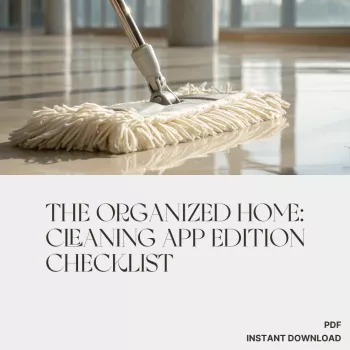
A cleaning routine doesn’t have to mean a rigid schedule or a separate app for every chore. A useful starting point is a short list of tasks, a place to track them, and enough flexibility to adjust when life gets busy. For more guidance, see 7 handy house cleaning apps for busy households.
Our The Organized Home: Cleaning App Edition Checklist is a digital download designed to support that process. You can use it alongside a task, calendar, or reminder app to make household work easier to organize. It’s a planning aid, not an app itself.
A simpler way to organize cleaning
When chores live in your head, it’s easy to spend more time deciding what to do than actually doing it. A checklist gives you a starting point for sorting those scattered jobs into manageable actions. Instead of tackling the whole house at once, you can choose a few priorities and give each one a place in your week.
We offer The Organized Home: Cleaning App Edition Checklist as a $4.99 digital download. Use it to guide your planning, then adapt your routine to your household. A home with several people coming and going may need a different rhythm than a quieter space, and that rhythm can change over time.
Start with the areas that affect your day most. If an overflowing entryway makes mornings stressful, give it a place on your list. If another room rarely needs attention, there’s no need to force it into a daily routine.
Turn the checklist into an app-based routine
Choose a task, calendar, or reminder app you already use. Familiarity matters more than having a long list of features: you’re more likely to keep up with a system that fits into your existing habits. Recurring tasks are helpful, but a simple list can work too.
- Pick a few tasks. Begin with jobs you want to remember regularly, rather than entering every possible chore at once.
- Add dates where useful. Give time-sensitive tasks a due date or repeat schedule. Leave flexible jobs on a general list.
- Group your work. Organize tasks by room, frequency, or the person responsible, depending on what makes the list easiest to scan.
- Use reminders selectively. Set an alert for a task you tend to forget, but avoid notifying yourself about every small job.
- Review after a week. Notice which tasks were helpful, which felt unrealistic, and which need a different day or frequency.
If you share the routine, agree on what each task means before assigning it. For example, “clean the bathroom” can become separate tasks for wiping surfaces, cleaning the sink, and emptying the trash. Clear, small actions are easier to fit around everyone’s schedule.
Sample cleaning schedule to customize
The following table is an illustrative routine, not a description of the download’s exact contents. Use it as a starting point and change the frequency to suit your household size, how often each space is used, and the time you have available.
| Frequency | Example task | App setup |
|---|---|---|
| Daily | Wipe kitchen counters | Set a recurring reminder |
| Weekly | Clean bathroom surfaces | Add to a weekly task list |
| Monthly | Check and clean the refrigerator | Schedule a monthly reminder |
| As needed | Tidy a busy entryway | Keep on a flexible task list |
You might prefer to clean bathroom surfaces more often in a busy home, or check the refrigerator before a regular grocery trip. A schedule is most useful when it reflects what actually happens in your home—not what an ideal week looks like on paper.
Keep the routine realistic
Large jobs can be easier to begin when you break them into short tasks. Rather than setting aside an entire afternoon to clean the kitchen, you might clear the counters today and clean the refrigerator shelves another day. If your app allows assignments, divide tasks among household members in a way that feels fair and practical.
Missed a task? Move it to another day or return it to your flexible list. You don’t need to restart the whole plan because one week didn’t go as expected. If the same job is repeatedly missed, consider whether its frequency, timing, or scope needs to change.
For guidance on when and how to clean or disinfect, see the CDC’s cleaning and disinfecting guidance. Follow product label directions and choose practices appropriate to the surfaces and circumstances in your home.
Get started with the digital checklist
Explore the product page for our cleaning checklist, then choose two or three recurring tasks to put into your preferred app. After a week, keep what worked and make one or two adjustments. You can build a fuller routine gradually, without turning your task list into another source of clutter.
If you also manage a small business from home, our AI for Small Business Toolkit is a separate digital download for business planning. It isn’t needed for your cleaning routine, but it may be useful for organizing another part of your workday.
FAQ
Is the checklist a cleaning app?
No. It is a digital download that supports cleaning organization and app-based tracking; it is not an app itself.
Which app should I use to track cleaning?
Choose a familiar task, calendar, or reminder app. Recurring tasks can be helpful, but a simple list is also a practical starting point.
How often should I update my cleaning schedule?
Review it after your first week, then adjust it whenever your household’s needs or routines change.
Recommended for you



Wooden Montessori Tree Screw Blocks: Play Guide
Nov 19, 2026
Montessori Wooden Bus with Peg Dolls: Play Ideas
Nov 19, 2026













Leave a comment