-
Shop
- Advanced Technologies
- AI Skills
- Bathroom
- Best-Sellers
- Car Accessories
- Confidence
- Dating & Social Skills
- Digital Resources
- AI & Technology
- Beauty
- Budgeting & Saving
- Car Buying & Ownership
- Cozy Feast Collection
- Electronics & Technology
- Entrepreneurship & Business Growth
- Financial Education
- Financial Independence
- Financial Mindset & Psychology
- Goal Setting
- Home Styling & Organization
- Kitchen & Recipes
- Leadership
- Mindfulness
- Mindset
- Online Business
- Parenting & Child Development
- Personal Style & Fashion
- Pet Lifestyle & Wellness
- Positive Thinking
- Sleep Improvement
- Smart Life with AI
- Stress Management & Relaxation
- Travel Planning
- Wellness
- Yoga & Fitness
- Yoga & Mind-Body Practices
- Education & Learning
- Family & Parenting
- Fashion
- Accessories
- Alexander McQueen
- Bags
- Bags & Wallets
- Balenciaga
- Belts
- Blazers
- Bottega Veneta
- Bottoms
- Brunello Cucinelli
- Burberry
- Chanel
- Chloé
- Dior
- Dolce & Gabbana
- Dresses
- Etro
- Fendi
- Gucci
- Hats & Hair Accessories
- Hoodies & Sweatshirts
- Jacquemus
- Jewelry
- Jil Sander
- Kiton
- Luggage
- Miu Miu
- Off-White
- Outerwear
- Prada
- Rick Owens
- Saint Laurent
- Shoes
- Socks & Tights
- Sweaters & Cardigans
- The Row
- Tom Ford
- Tops & Shirts
- Valentino
- Valentino Garavani
- Versace
- Vivienne Westwood
- Watches
- Fashion Accessories
- Furniture
- Gadgets
- Health & Beauty
- Health & Wellness
- Home & Garden
- Home Decor
- Home Electronics
- Home Supplies
- Kids & Babies
- Kitchen
- Kitchen Best-Sellers
- Lighting
- Patio, Lawn & Garden
- Personal Growth
- Pet Care
- Pet Supplies
- Pets
- Sport & Outdoors
- Super Deals
- Travel
- Travel & Adventure
- Wealth
- Popular
- Best deals
Cool Alexa Commands to Try: Smart Home, Music & More
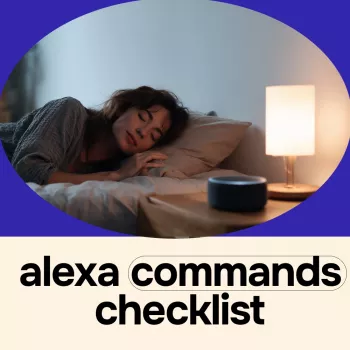
What are some cool Alexa commands?
Alexa can do far more than set timers and play music. With the right commands (and a few settings), your Echo can become a hands-free remote for your home, a quick personal assistant, and even a little entertainment hub. Below are some fun, genuinely useful Alexa commands to try right now—no complicated setup required for many of them.
Smart home shortcuts
Try: “Alexa, turn on the living room lights,” “Alexa, set the thermostat to 72,” or “Alexa, lock the front door.” If you name devices clearly in the Alexa app, voice control becomes fast and natural. For extra convenience, create routines like “Alexa, good night” to shut off lights, lock doors, and start white noise in one go.
Audio, TV, and multi-room playback
Try: “Alexa, play ’90s hip-hop,” “Alexa, play my Discover Weekly,” or “Alexa, play music everywhere” (if you’ve set up a multi-room group). If you have a compatible Fire TV or smart TV integration, you can also use: “Alexa, open Netflix,” “Alexa, pause,” or “Alexa, turn up the volume.”
Helpful daily-life commands
Try: “Alexa, add paper towels to my shopping list,” “Alexa, what’s on my calendar tomorrow?” and “Alexa, remind me to call the dentist at 3 PM.” For quick organization, ask: “Alexa, what are my reminders?” or “Alexa, what’s on my to-do list?”
Fun and surprisingly handy extras
Try: “Alexa, tell me a joke,” “Alexa, make an animal sound,” or “Alexa, roll a die.” For quick info, use: “Alexa, what’s the weather this weekend?” and “Alexa, how do you spell ‘recommendation’?”
For more ideas you can copy-and-paste into everyday life, visit the full guide: https://bestsellis.com/what-are-some-cool-alexa-commands/.
FAQ
How do I create Alexa routines for one-phrase commands?
Open the Alexa app, go to More > Routines, then tap the plus sign to create a routine. Choose a voice trigger (like “Good morning”) and add actions such as lights, music, announcements, or smart plugs.
Recommended for you


The 4 Pillars of Self-Confidence: A Practical Guide
Jul 25, 2026













Leave a comment